
Current Users
Helpful Resources
Looking to Re-Rent Online or Upgrade to KCD Software Version 25?
Click on the links below to get started now!
How to Re-Rent Online
How to Upgrade to V25
How to Re-Rent Online
(Version 10+)
- Open your KCD Software program.
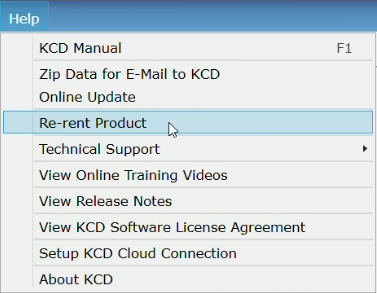 Go to the "Help" menu option and select "Re-rent Product"
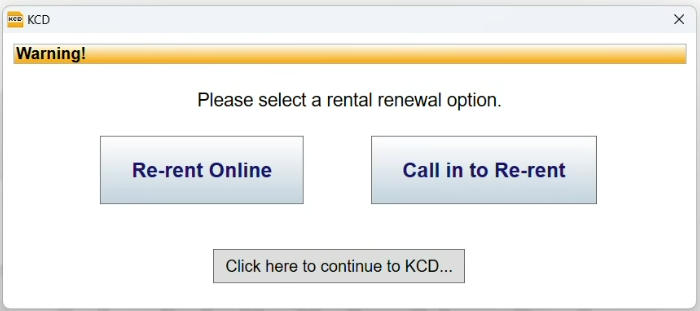 A window will pop up to select either: "Re-rent Online" or "Call in to Re-rent"
- To "Re-rent Online" - Click the option "Re-rent Online". (For "Call to Re-rent" - Call our support staff at 508-760-1140.)
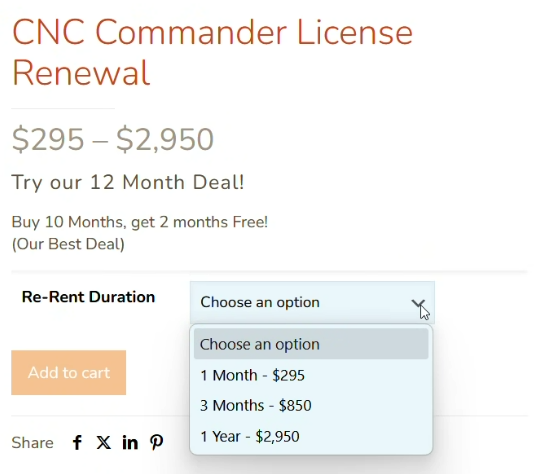 The online rental window will open, showing you your current product level and Re-rent duration options. Follow the prompts to order your desired rental duration and to process your Re-rent order.
 Watch the Re-rent Online Tutorial Video
 Mira el tutorial en video de Rentar en línea en español
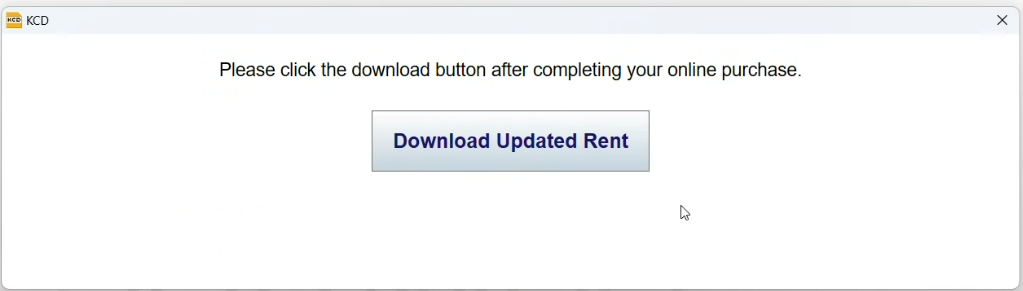 Go back to KCD Software and click on the window that reads: "Download Updated Rent".